
Feel the pulse of your Mac. Without the noise.
Sulse is a feather-light companion for your everyday Mac life. It quietly displays your system’s pulse directly in your menu bar—fully customizable, smart, and with absolute zero overhead. Get the essential insights you need, from CPU heat and battery health to your workspace lighting, completely clear of confusing charts.
Requires macOS 13.0+ Apple Silicon (M1/M2/M3/M4)
Whisper Quiet, Feather Light
Sulse runs silently in the background with zero performance impact. It consumes minimal resources, updating dynamically and fetching only the data you need at any given moment to ensure virtually zero CPU and battery load.
Smart Menu Bar
Let Sulse automatically cycle through key metrics, adapting in real-time to your Mac's current workload, or take control and build your own custom status layout.
Free, Clean & Private
No subscriptions, no annoying pop-ups, and absolutely no background telemetry tracking your habits. Just a beautifully crafted, native utility designed for anyone who loves clean and lightweight tools.
Everything you need, right at your fingertips
A quick check-up, zero effort
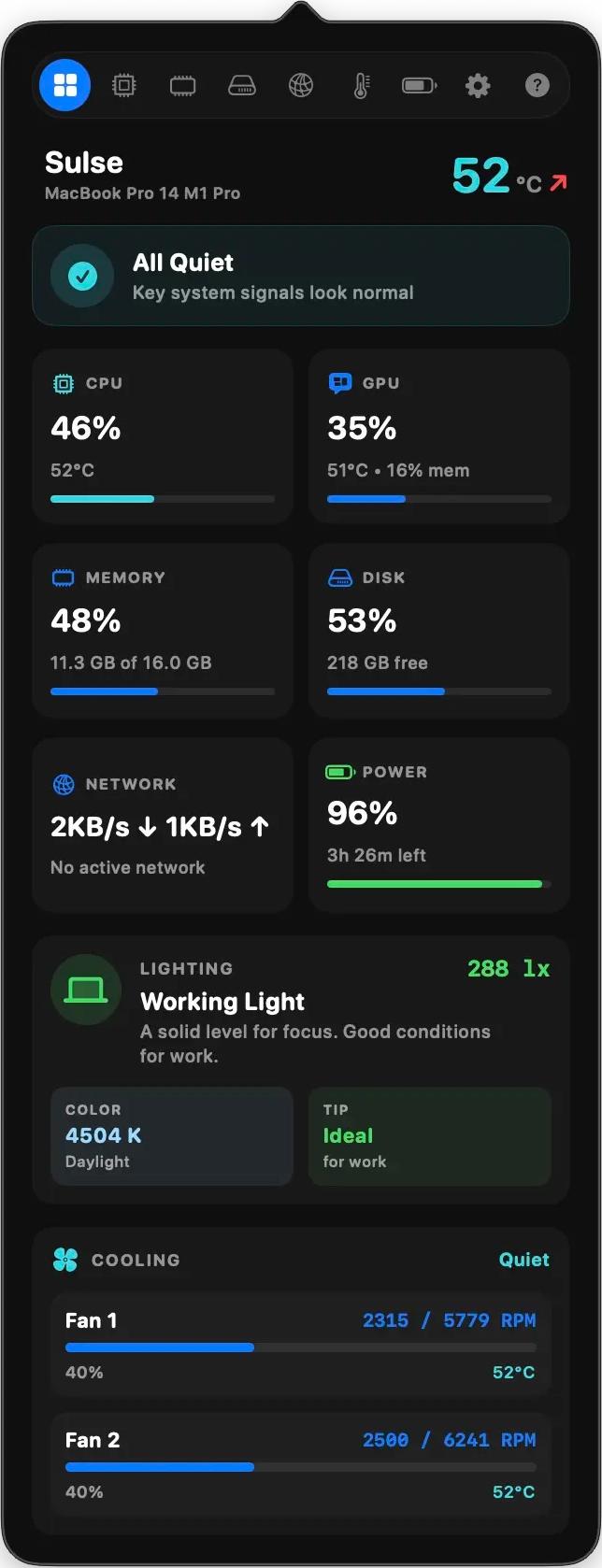
Open the dashboard and instantly see if anything needs your attention — a clear health status, potential issues like overheating or low storage, and even a heads-up if your room lighting isn't ideal for comfortable screen time.
See what's working hard under the hood
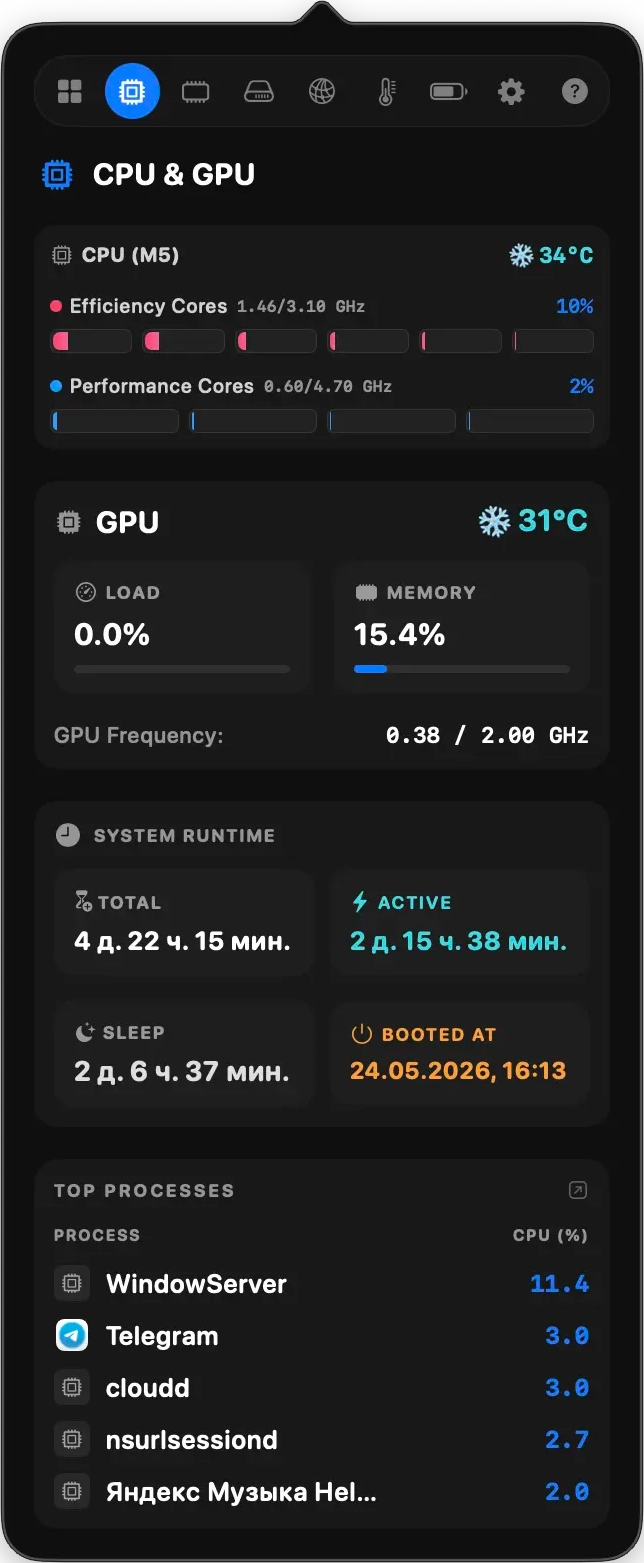
Find out which cores are busy and which are resting — with efficiency and performance cores shown separately for Apple Silicon. Live frequency, temperature, and a list of the top apps using the most processing power.
Know when it's time to close a few tabs
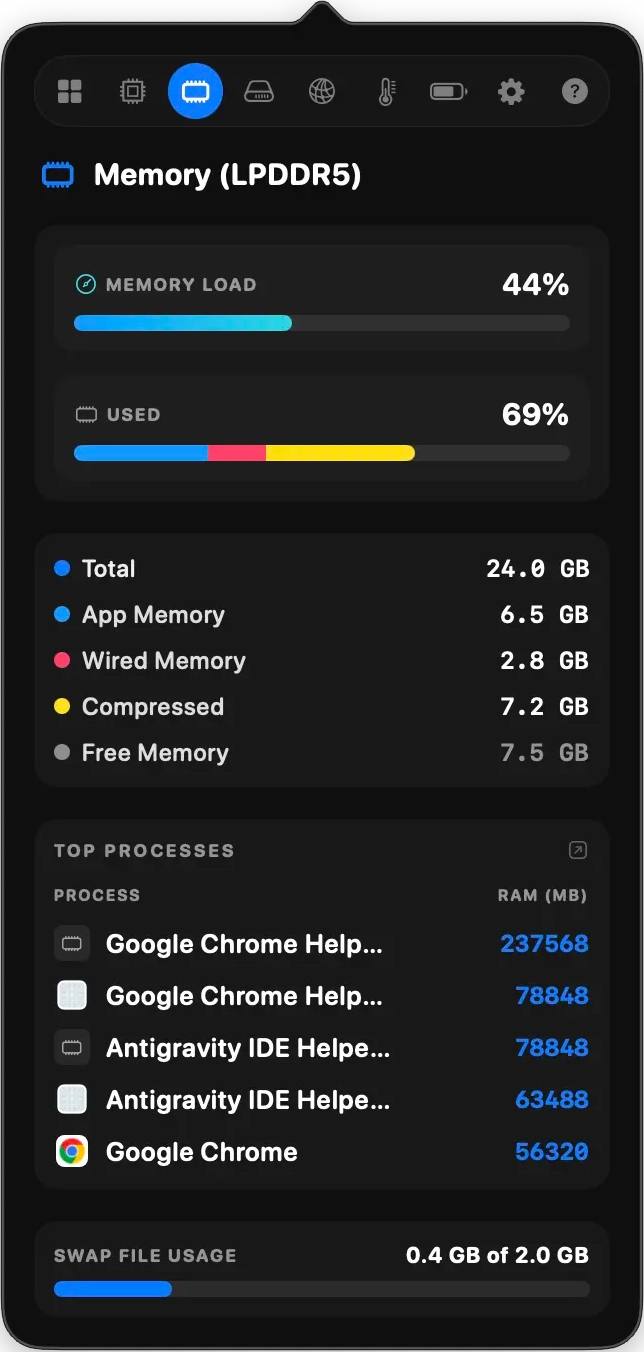
A friendly breakdown of your memory usage — how much is taken by apps, how much the system locked for itself, and how much is being compressed. Plus, a list of the hungriest apps so you know exactly what to close first.
Find out where your space actually goes
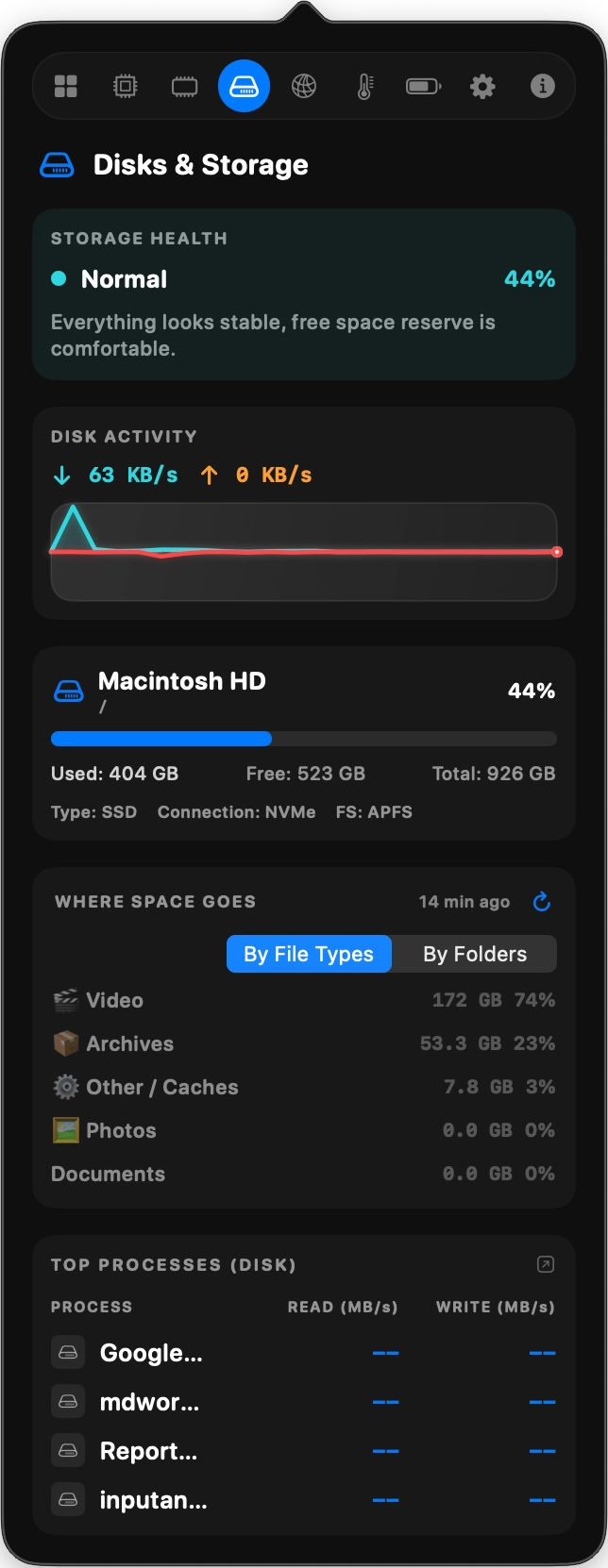
See a clear breakdown of what's eating up storage — by file type like videos, photos, archives, and music, or by folder to spot the heaviest ones. Switch between views in one tap, open any folder directly in Finder, and get a heads-up when free space is running low.
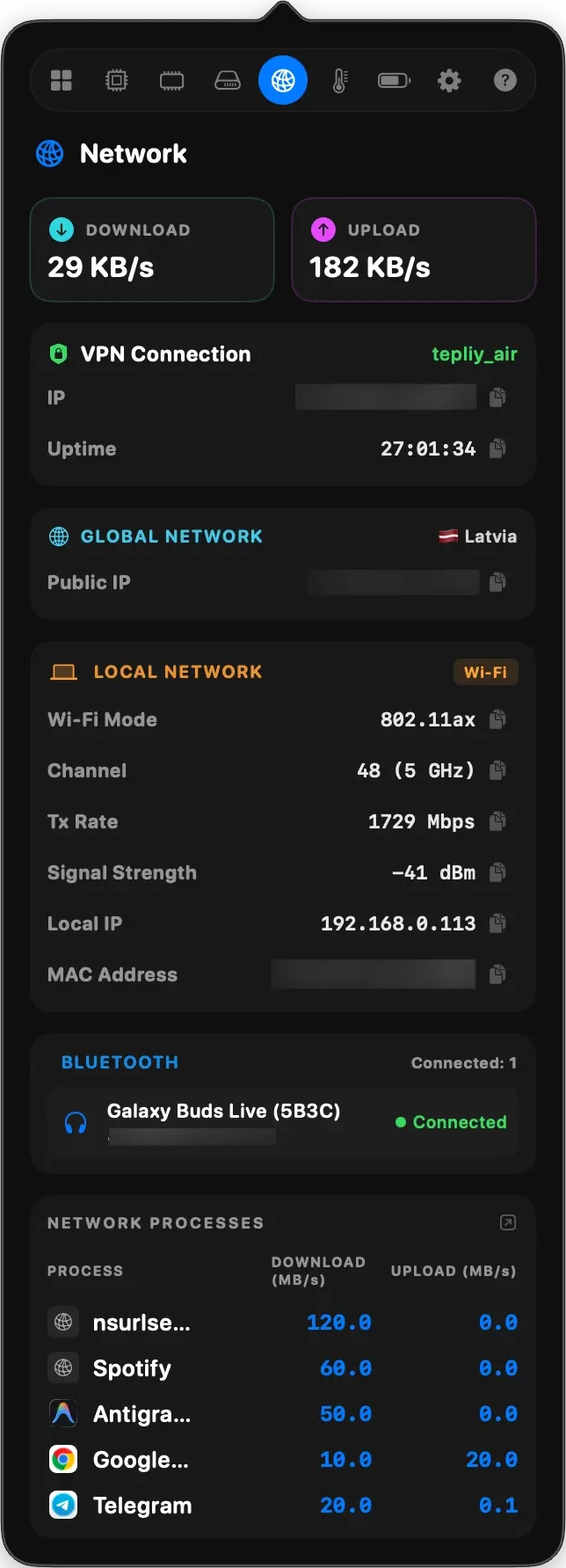
Your connection, fully transparent
See download and upload speeds at a glance, check if your VPN is active and how long it's been connected, view your public IP and location, explore Wi-Fi signal strength and channel details, and see which Bluetooth devices are connected along with their battery levels.
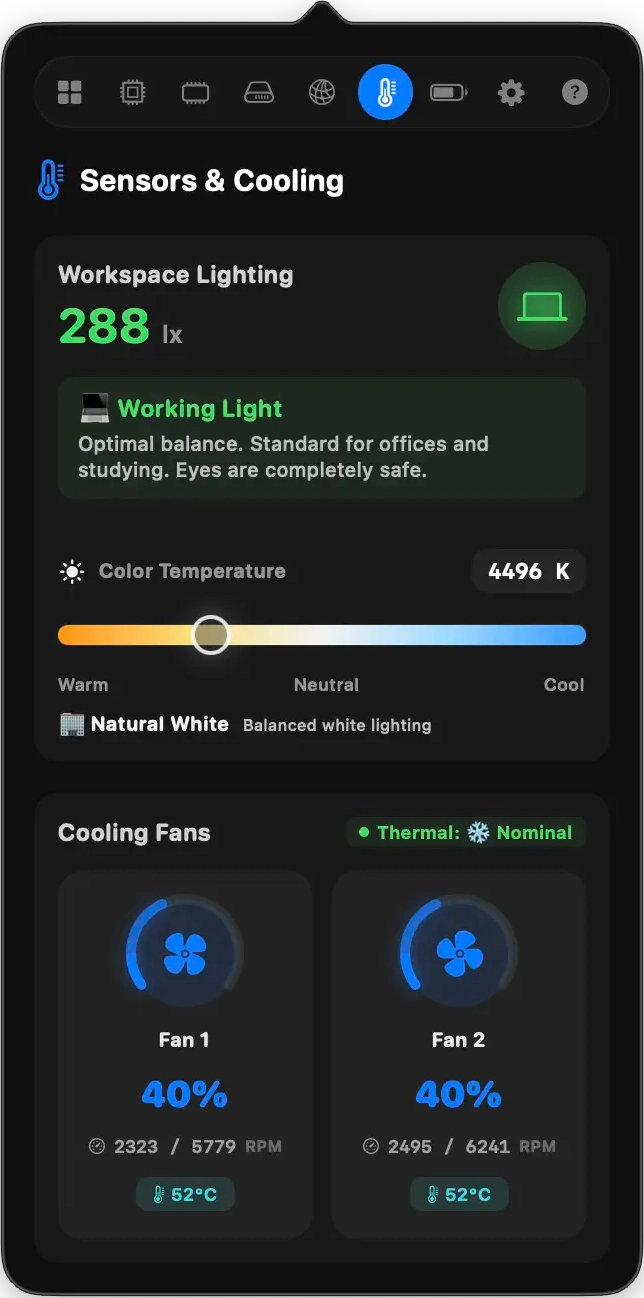
Your room and your hardware, in one view
A unique feature you won't find elsewhere — Sulse measures the ambient light in your room in Lux, tells you if it's too dim or too bright for comfortable work, and shows the color temperature in Kelvin. Below, animated fan gauges spin in real time matching your actual cooling speed.
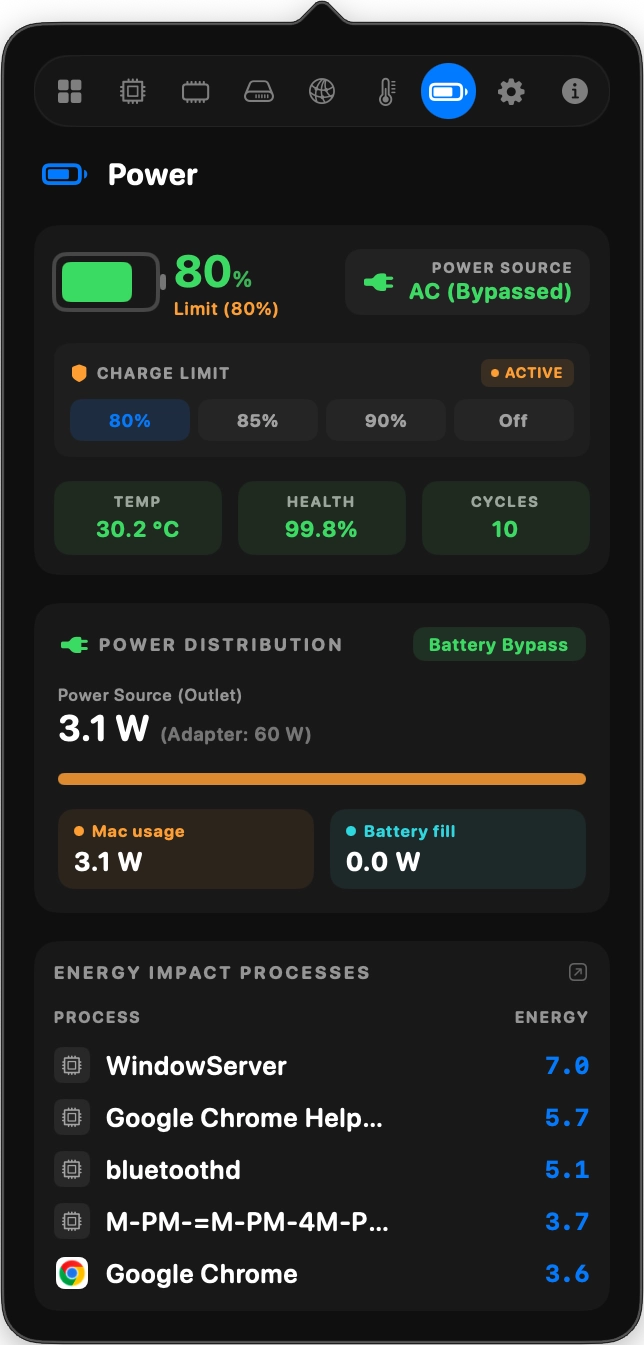
Take care of your battery's future
Set a charge limit at 80%, 85%, or 90% to keep your battery healthy for years. See exactly how power flows — how much goes to the system, how much charges the battery, and the wattage of your connected adapter. Track temperature, health percentage, charge cycles, and AC Bypass status when plugged in but not charging.
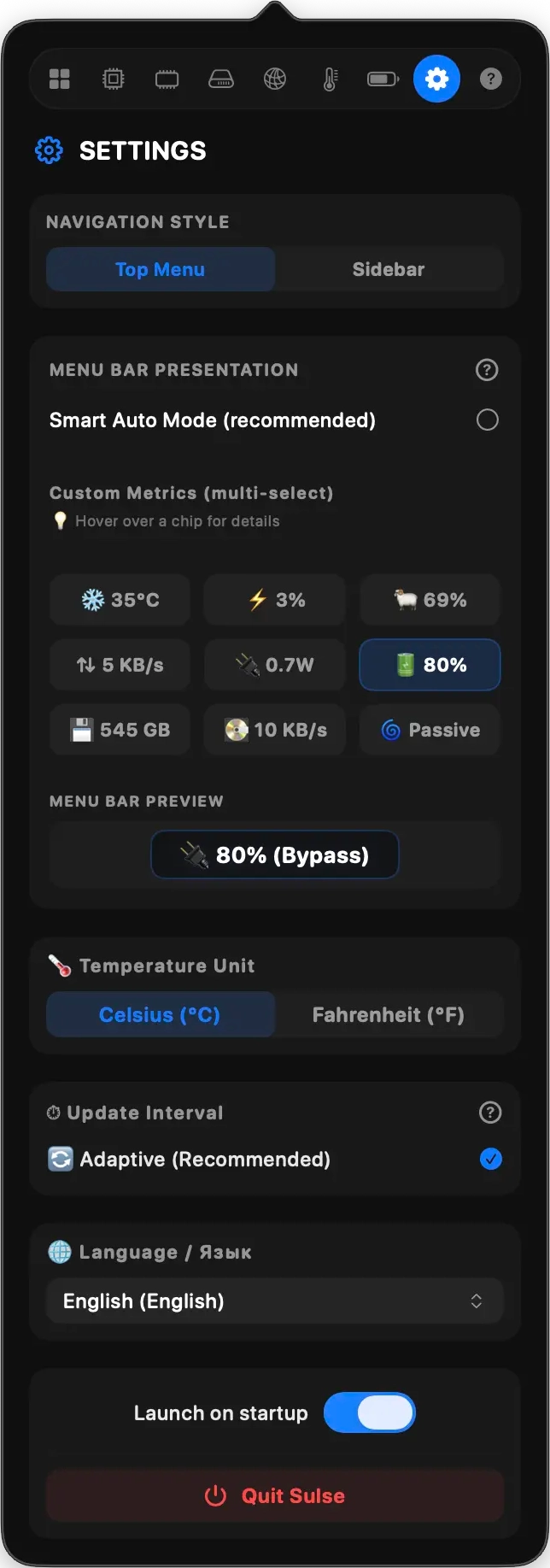
Set it up once, enjoy it every day
Choose Smart Menu Bar mode to automatically show what matters most right now, or build your own custom layout with any combination of metrics. Pick your preferred language from 10 options, switch between Celsius and Fahrenheit, and set update intervals that match your workflow.
Ready to feel your system's pulse?
Download Sulse today. Completely free, ad-free, and natively optimized for macOS Sequoia, Sonoma, Ventura, and all Apple Silicon processors.
Version 1.0.0 macOS 13.0+ Required Apple Silicon (M1/M2/M3/M4) Only